


From cafés and beauty salons to lawyers or clinics—Google Maps has become almost the main tool for finding local companies. When a user types “café near me,” “tire service nearby,” or “hairdresser in Podil,” they’re not just curious; they’re ready to use a service here and now. And the higher a business appears in the search results, the more likely it is that the choice will fall on it.
Promotion on Google Maps means not only better visibility in search, but also trust from potential buyers: the company receives more calls and sales, outpacing competitors.
Why promotion in Google Maps is needed
In today’s business environment, the line between online and offline is increasingly blurred, which is why promotion in Google Maps has turned from an extra option into one of the ways to attract customers. It’s no longer just a navigation service but a full-fledged platform where potential clients search, compare, and make purchase decisions. Ignoring it means deliberately turning away a “hot” audience that’s ready to become your client.
How does it work in practice?
1. Attracting buyers with a specific query
Local queries have a unique feature: they almost always become transactional. Behind phrases like “restaurant near me” or “hairdresser in Podil” there isn’t just curiosity, but a need someone wants to satisfy right now. Today, Google Maps is the primary platform that channels such “hot” intent.
Appearing in the Local Pack (the block with 3–4 companies shown above the main Google results alongside a map) guarantees maximum visibility and brings the most motivated customers. Studies show that most users choose from the companies featured in the Local Pack.
2. Increasing visibility and brand awareness
A properly configured company profile (Google Business Profile) works as a free storefront for your business 24/7, because it is:
- free advertising: the company shows up on the map when users search for products or services in your area, even if they don’t know your brand name;
- visually compelling: you can add quality photos of interiors, products, the team, and videos to stand out among competitors and shape the image you want even before a client’s first visit.
3. Building trust and social proof
Reviews and ratings (stars) influence a client’s decision. And this matters:
- for 91% of consumers, positive reviews are as decisive as personal recommendations. A high average rating and a large number of positive reviews tip the choice in your favor;
- working with reviews (both positive and negative) shows your customer centricity and that you care about clients’ opinions, and it’s also a chance to quickly resolve issues and turn an unhappy customer into a loyal one.
4. An effective local SEO tool
Promotion on Google Maps is an integral part of local search optimization (Local SEO), just as important as promoting your website in Google. Many look for how to promote a site on Google Maps, and an optimized business profile is the key to this:
- a fully completed and optimized Google Business Profile improves rankings in Google Maps and in Google’s local results and affects overall website SEO;
- users can easily go to your site, call in one click, or build a route to your office/store right from the company card. This generates high-quality targeted traffic both online and offline.
5. Providing exhaustive information to the client
A company profile on Maps is a centralized place where a client can quickly find everything they need:
- exact address and location on the map;
- opening hours, including holidays;
- phone number (with one-click calling on mobile);
- links to the website and social media;
- list of products and services with prices;
- answers to frequently asked questions.
This kind of information simplifies interaction with your business, which saves time.
6. Competitive advantage
If your competitors already use Google Maps and you don’t, you lose customers every day. If they don’t yet, it’s your chance to become a local search leader and claim the niche.
How the Google Maps ranking algorithm works
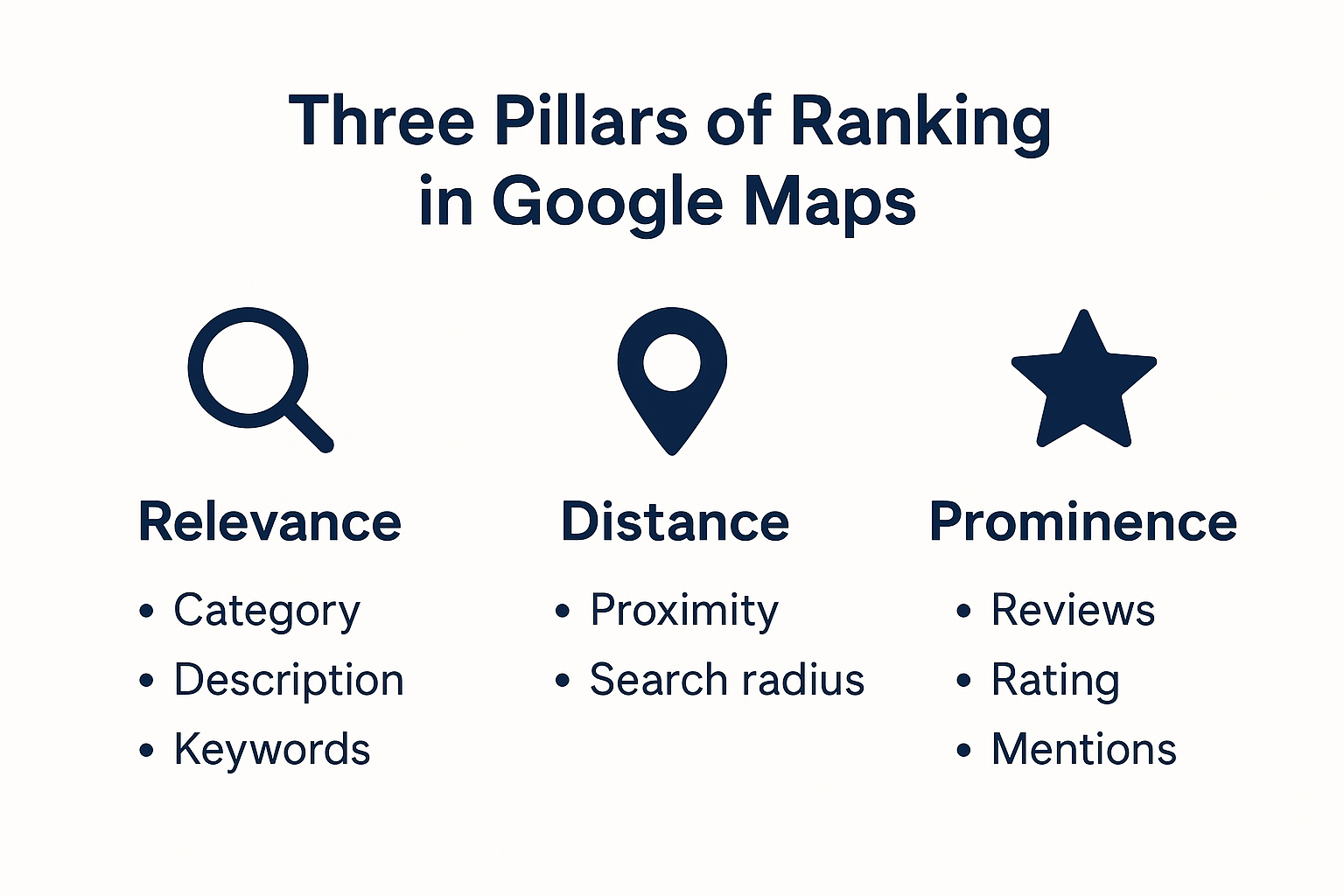
The Google Maps ranking algorithm works differently from classic Google search. Its main task is to show the user the most relevant nearby companies. To do this, it considers several key factors.
Relevance
This is how well a company matches the user’s query, and an important role is played by:
- the company name (whether it contains keywords);
- the business category (e.g., “Italian restaurant”);
- the profile description and the keywords it contains.
Distance (proximity)
Google shows businesses that are closest to where the user is located, or to the point they specified in the search.
Prominence (company authority)
This is the business’s “popularity” for Google. It is influenced by:
- the number and quality of reviews;
- the average rating;
- the regularity of new reviews;
- mentions of the company on the web (site, social media, directories);
- quality photos and the owner’s activity in the profile.
Profile activity and completeness
Companies with a maximally completed page (address, phone, hours, site, photos, posts) rank higher. Google prefers live profiles that are updated.
Behavioral factors
This includes how people respond to you:
- how many users click on your profile;
- how often they call or build a route;
- whether users come back again.
Google Maps combines a range of factors to surface businesses that best match a specific query. For example, if you search for “café near me,” location will be decisive. And if you search for “best dentist in Kyiv,” reviews, rating, and popularity will play a bigger role.
The algorithm is constantly updated, but the basic principle remains: Google aims to show the most convenient and reliable option for the user at that particular moment and in that particular place.
What influences a company’s visibility and its path to the TOP on Google Maps
Google Maps today is less a navigator than a way to find local businesses. If your profile is set up correctly, you get free traffic, calls, clients and, essentially, an answer to your question “how to get to the top of Google Maps.”
The more data you add to Google Business Profile, the more chances you have to occupy the top positions.
What to focus on here:
- Name and categories — choose the most precise ones and add several relevant subcategories.
- Description — an optimal length is 700–1000 characters with keywords describing your services.
- Photos and videos — show not only the facade, but also the interior, the team, the work process, products.
- Opening hours and contacts — especially important in local search: Google more often recommends companies that are open now.
In turn, reputation in Google Maps directly depends on positions in the results.
Take care of the number of reviews, because more = better, but consistency is key, since it’s good if reviews are published systematically. In addition, reviews with descriptions carry more weight than those dry 5 stars.
Google “sees” whether you interact with clients, so it’s best to always reply and respond to comments. And a natural-looking profile builds trust: it’s good when reviews feature different users, photos, and details.
How to encourage clients:
- ask for a review after a purchase (QR code, SMS, email)
- offer a small bonus for a review
- remind them on social media
Google values active profiles. If a company “keeps silent,” it loses visibility. What to do?
- Post updates in the profile: announcements, promotions, news.
- Refresh photos: new shots every few weeks.
- Update opening hours on holidays: this is highlighted separately in the results.
- Q&A: answer clients’ questions right in Google Maps.
That is, to get into the top of Google Maps, you need to work in three directions:
- Fill out and optimize the profile.
- Get quality reviews and respond to them.
- Regularly update data and maintain activity.
This is a years-long strategy, but it is precisely what delivers a stable flow of clients without additional ad spend.
How to optimize Google Maps for business
Optimizing Google Maps for business starts with a properly completed profile in Google Business Profile (formerly GMB — Google My Business). This is the foundation that determines both the ranking in Maps and client trust.
How to complete the profile to improve ranking:
- Use the real name without keyword “spam.” Additional qualifiers are allowed only when they are part of the brand (“Pizza Roma — Italian pizza Kyiv”).
- Choose a primary category (for example, “beauty salon”) and add secondary ones (“hairdresser,” “nail salon”). This directly affects display on relevant queries.
- Write a short, informative text (750 characters) where you naturally insert key queries for Google Maps (“beauty salon in Kyiv,” “auto service nearby”). It’s important to avoid over-optimization.
- Add the exact address (better to verify via Google Maps), phone, website link. It’s important that this data matches everywhere (site, directories, social networks), as this increases the algorithm’s trust.
- Fill out even public holidays. Up-to-date hours = more trust from clients and Google.
- Add quality images of the interior, products, team. Profiles with photos rank better and get more clicks.
- Ask clients to leave reviews and be sure to respond to them. This is one of the strongest ranking factors.
- Use the “Posts” section, publish information about promotions, add news, services. Such regular activity signals to the algorithm that the business is “alive.”
GBP does not work in isolation. A good profile should be reinforced by a website with local optimization (pages for specific services, local keywords, useful content) and by quality external mentions.
In fact, optimizing a profile in Google Maps is a combination of completeness of information, keywords, and regular activity. The algorithm promotes companies that appear most reliable and useful for the user.
How to raise a company’s ranking in GMB
You can push a company up in Google Business Profile (GMB) and bring it to the top on Google Maps only with comprehensive work — the algorithm evaluates not a single factor, but the entire profile activity.
Use local queries, because Google Maps shows businesses based on the “nearby and relevant” principle. Therefore it’s important to work with local keywords:
- “restaurant in Pechersk,”
- “dentist near Lukianivska metro,”
- “coffee shop in Lviv 24/7.”
Where to use them:
- in the company name and description (but without spam),
- in posts and promotional updates,
- in customer reviews (you can politely ask them to write, for example: “Convenient coffee shop near Olimpiiska”).
Engage with clients through replies to reviews (even short “thank you”s or detailed explanations in case of criticism) to show that the business cares about clients. This:
- increases user trust,
- signals to the algorithm that the profile is “alive,”
- influences rating and ranking.
Hack: in replies to reviews, you can also cautiously use keyword phrases (“thank you for visiting our pizzeria in the center of Lviv”).
Images and videos are among the strongest triggers for Google Maps. Profiles with visual content:
- get more clicks and interactions;
- are perceived as more trustworthy;
- rank higher than competitors with “empty” listings.
What to add:
- photos of the interior, exterior, team, and work process;
- short video overviews (venue atmosphere, “before/after” for services);
- unique shots, not just stock images.
How to get to the top of Google Maps and how to raise a company’s rating in GMB?
Combine local keywords, live interaction with customers, and unique visual content. This creates the effect of an active, trustworthy business—for people and for the algorithm.
Tactics for promotion to the TOP 3 on Google Maps
Promotion to the TOP 3 of Google Maps (the so-called local pack) is the main goal of local promotion. These companies receive most clicks, calls, and visits. This requires the systematic strategy mentioned above and a few “tricks” competitors often forget:
- Q&A in the profile: add questions and answers yourself. For example: “Can I pay by card?” — “Yes, we accept Visa/MasterCard.” This increases relevance and removes client doubts.
- UTM tags in links: add them to the website link in the profile to track traffic from Maps. This helps you see what actually works.
- Geo-keywords in reviews: politely ask clients to write “convenient dentist in Obolon” instead of a simple “thanks.” The algorithm indexes this text.
- 360° photos or a virtual tour: these formats make the profile stand out and hold users’ attention, increasing CTR.
- Posts with CTAs: add “Call,” “Book,” “Learn more” buttons in posts. Google “sees” interactions and boosts ranking.
- Local backlinks: links from local media, blogs, and directories build a company’s authority even in Maps.
- Structured data (Schema Local Business) on the website: helps Google more accurately connect the site and the business profile.
That’s why the TOP-3 in Google Maps is the result of a properly completed profile, regular activity, work with reviews, and visual content. And hacks like Q&A, geo-keywords in reviews, or 360° photos are the “little things” that nudge competitors aside.
Common mistakes when promoting on Google Maps
Promotion on Google Maps may seem simple: create a profile, add photos, collect a few reviews—and done. In practice, businesses often make mistakes that lower rankings or even get the listing blocked. And when analyzing why a site’s positions dropped in local search, it’s not always obvious that the cause is likely mistakes in managing the Maps profile.
Keyword stuffing
Adding everything into the business name (“Dentistry Kyiv cheap Obolon 24/7”) is a typical mistake. Google sees this as manipulation and can lower positions.
Wrong business category
If you choose a generic category (“store”) instead of a specific one (“children’s clothing store”), the algorithm doesn’t know which queries to show you for.
Incomplete profile
No website, hours, photos, or description creates an “empty card.” Google gives preference to competitors with complete information.
Fake reviews
Mass review boosting from new accounts is quickly detected; at best you’ll see reviews removed, at worst—profile sanctions.
Ignoring negative reviews
Not responding or deleting complaints is bad. The algorithm evaluates this owner–client interaction.
Infrequent updates
If a profile is “dead”—no new photos, posts, or reviews—Google lowers it in results.
Inconsistent data (NAP)
When address, phone, or name on the website and in the profile differ, Google loses trust in the business.
Using stock photos
They add little value and can reduce trust. The algorithm and users prefer real visuals.
Lack of local keywords
If descriptions or posts don’t mention the district, metro, or city, the company misses chances to appear for local queries.
No website integration
Without a website link or without structured data (Schema Local Business), Google can’t always clearly connect the company to other information sources.
So, how to raise a company in Google Maps?
The biggest mistake is treating Google Maps like a “business card.” In reality, it’s a live marketing channel where consistency matters: accurate data, activity, reviews, and content.
How to secure top positions in Google Maps results
Getting into the TOP of Google Maps is only half the job. To hold positions and not lose to competitors, you need to keep up activity and demonstrate customer focus. Just as you strive to check site positions in Google, you need to monitor your company’s visibility in the Local Pack.
What to do:
- regularly check contact details: phone, website, address. Even a small error can cost calls and clients;
- update opening hours, especially on holidays. Google highlights this in results, and users want to know if you’re open right now;
- add new photos and posts: interior, assortment, team, promos. Visual content increases trust and conversion.
The more a company engages customers in dialogue, the higher the chance it stays in the TOP.
What works best:
- respond to all reviews—both positive and negative. This underscores professionalism and care;
- encourage leaving reviews: after a purchase, via email, or with a QR code on site;
- promptly answer questions in the profile’s Q&A section;
- maintain service quality: good service → satisfied clients → more natural positive reviews.
To stay in the top positions of Google Maps, keep profile data current, update content regularly, and actively engage with customers, building reputation through reviews.
Conclusion
Google’s algorithm favors businesses that look as useful and reliable as possible to users: with up-to-date information, real photos, regular updates, and honest reviews.
A company that invests time in managing Google Business Profile gains not only higher rankings, but also audience trust, more calls, visits, and real sales. Therefore, promotion on Google Maps is definitely worth attention as a marketing channel—alongside the website and social networks.
